How to Train Your Staff with Digital Tools
Without Losing the Personal Touch That Makes Wine Country Special
Here's the challenge every small winery faces: your tasting room staff needs to know your entire portfolio inside and out—vineyard details, winemaking techniques, tasting notes, food pairings, vintage variations. But you're also dealing with seasonal turnover, part-time employees, and staff who may be wine-enthusiastic but not professionally trained.
Traditional training methods—three-ring binders full of wine specs, cramming sessions before shifts, hoping people remember everything—aren't cutting it anymore. Guests expect informed, confident service. Your staff wants tools that actually help them succeed. And you need a system that doesn't require you to personally train every new hire for hours on end.
The good news? Digital tools can solve this problem without turning your tasting room into a soulless, scripted experience. Here's how to do it right.
The Real Problem with Traditional Training
Let me paint a familiar picture: you hire someone new for the tasting room. They're friendly, enthusiastic, and genuinely interested in wine. You hand them a massive binder filled with technical sheets, vineyard maps, and tasting notes. You do a couple training tastings. Maybe you have them shadow experienced staff for a few shifts.
Then they're on the floor, and a guest asks, "What's the difference between your Russian River Pinot and your Sonoma Coast Pinot?" Your new hire freezes. They know they learned this, but under pressure, with six other guests waiting, the details blur. They mumble something generic about terroir and hope the guest doesn't ask follow-up questions.
This isn't a failure of the employee—it's a failure of the training system. Expecting people to memorize detailed information about 12+ wines after reading it once or twice isn't realistic, especially when that information changes with new vintages, blending decisions, and seasonal availability.
What Digital Tools Actually Solve
The right digital tools don't replace human expertise—they support it. Think of them as the world's most patient reference material, always available when your staff needs a quick refresh.
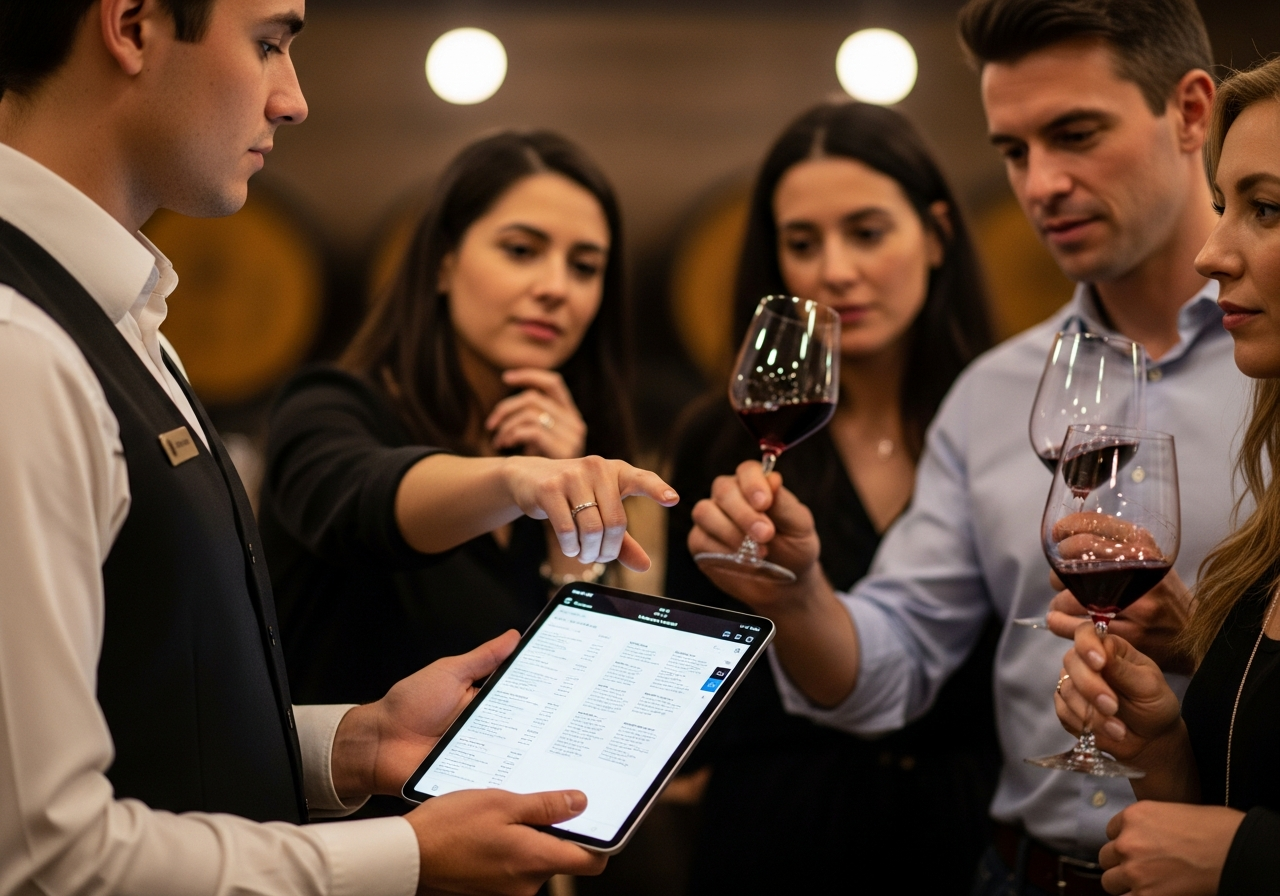
Instant Access to Accurate Information: Your staff can pull up detailed wine information on their phone in seconds. No more scrambling to remember fermentation temperatures or trying to recall which vineyard block a specific wine comes from.
Confidence for New Hires: Knowing they have a reliable backup reduces anxiety. New staff can focus on connecting with guests rather than worrying about forgetting technical details.
Consistency Across Your Team: Everyone is working from the same, up-to-date information. No more situations where different staff members give guests contradictory information because someone's working from old notes.
Easy Updates: When a vintage changes, a wine sells out, or you adjust pricing, you update the digital information once. Done. No reprinting sheets, no hoping everyone got the memo.
How to Train Staff to Use Digital Tools Effectively
Simply having digital wine information available won't magically improve your tasting room. Your staff needs to know how and when to use these tools. Here's a framework that works:
1. Position Digital Tools as Support, Not Scripts
Make it clear from day one: these tools exist to support their knowledge, not replace their personality. You still want staff telling stories and building relationships with guests. Digital resources are there for reference when needed, like checking a detail mid-conversation or refreshing their memory before a shift.
Bad approach: "Just read guests the wine description from your phone."
Good approach: "If a guest asks about barrel aging specifics and you can't remember, it's totally
fine to say, 'Let me check the exact details for you,' and pull up the information."
2. Build Pre-Shift Review Into the Routine
Encourage staff to spend 5-10 minutes before their shift reviewing wine information on their phones. Which wines are they pouring today? Any new releases? Wines that are selling out soon? This quick refresh primes their memory without requiring lengthy pre-shift meetings.
Some wineries gamify this—staff quiz each other on wine details for a few minutes before opening. It's social, low-pressure, and reinforces knowledge in a way that sticks.
3. Teach the "Three Layers" Method
Train your staff to think about wine information in three layers:
Layer 1 - The Story (Always Lead With This): This is what they should memorize and internalize. The human element. "This Cabernet comes from our estate vineyard that my grandfather planted in 1962." Or "Our winemaker waited an extra three weeks to pick these grapes because she wanted more developed tannins."
Layer 2 - The Core Facts (Know These): Varietal, appellation, vintage, general tasting notes. Staff should know these without looking them up, but it's okay to verify details if needed.
Layer 3 - The Technical Details (Available On Demand): Exact pH, barrel program specifics, precise alcohol percentage. These live in the digital reference. When guests ask—and some will—staff can access them instantly.
This framework helps staff prioritize what to memorize versus what to reference, reducing overwhelm while maintaining authentic interactions.
4. Practice Natural Integration
Run role-playing scenarios where staff practice naturally incorporating digital tools into conversations. For example:
Guest: "What's the oak regimen on this Chardonnay?"
Staff: "Great question—we age it in French oak, but let me pull up the exact percentage of new
versus neutral barrels for you. [Checks phone] It's 30% new French oak, 70% neutral, for about 10
months."
Notice how that feels professional, not robotic? The staff member didn't pretend to know something they didn't, didn't fumble for an answer, and gave the guest accurate information quickly.
What Digital Tools Can't (and Shouldn't) Replace
Let me be direct: if your training strategy is "give staff access to wine information on their phones and call it good," you're going to have problems. Digital tools support training, but they don't replace it.
They can't replace tasting experience. Your staff still needs to actually taste the wines, multiple times, to describe them authentically. Reading tasting notes off a screen isn't the same as knowing how a wine evolves in the glass or how it pairs with food.
They can't replace storytelling skills. Knowing facts about a wine is different from knowing how to make those facts interesting to a guest who doesn't care about malolactic fermentation but does care about connecting with where their wine comes from.
They can't replace reading the room. Great tasting room staff know when to dive deep into technical details and when to keep it simple. When to be educational and when to just let people relax and enjoy wine. That's learned through experience, observation, and coaching—not through an app.
The Training Model That Works
Here's the hybrid approach I've seen work best at small wineries:
Week 1 - Foundation: New hires taste through the portfolio with you or an experienced team member. They're learning the stories, the personalities of the wines, the things that make your winery unique. Digital tools are introduced as reference materials.
Week 2 - Practice: They shadow experienced staff, observing how to use digital information naturally during tastings. They're encouraged to look up details between pours, getting comfortable with having information at their fingertips.
Week 3 - Independence: They lead tastings while experienced staff observe and provide feedback. Digital tools give them confidence to handle unexpected questions without panicking.
Ongoing: Regular wine education sessions (monthly or quarterly) keep everyone updated on new releases, vintage changes, or shifts in the portfolio. Digital resources are updated in real-time, so staff always have current information.
Practical Implementation Tips
Make information mobile-friendly: Your staff will access this on phones, not laptops. Make sure everything is readable on a small screen with clean formatting and easy navigation.
Include pronunciation guides: Nothing kills confidence faster than mispronouncing a vineyard name in front of guests. Include phonetic spellings for anything potentially tricky.
Add food pairing suggestions: Guests constantly ask "what should I eat with this?" Give your staff simple, reliable pairing ideas they can reference.
Update regularly: Outdated information is worse than no information. Build a process for keeping everything current, especially pricing, availability, and vintage changes.
Get staff feedback: After a month of using digital tools, ask your team what's working and what's not. They'll tell you what information they actually need versus what's just cluttering things up.
The Bottom Line
Small family wineries compete on authenticity, personal connection, and genuine expertise. Digital tools don't threaten that—they enhance it by giving your staff the confidence and resources to deliver exceptional experiences consistently.
The goal isn't to turn your tasting room into a tech showcase. It's to equip your team with tools that make their jobs easier and your guests' experiences better. When staff aren't stressed about forgetting details, they can focus on what matters: connecting with people, sharing your story, and creating the kind of memorable tasting room visits that turn first-time guests into lifelong customers.
Technology and hospitality aren't opposites. Used thoughtfully, they're partners in creating the kind of wine country experience that keeps people coming back.
Ready to Equip Your Team for Success?
BibiVini provides digital wine information that works as both a guest experience tool and a staff training resource. Your team gets reliable information at their fingertips. Your guests get consistent, knowledgeable service. You get peace of mind knowing everyone's working from accurate, up-to-date information.
About the Author: Pete is a Certified Sommelier with a decade of experience in California wine country. He holds a degree in Marketing and Psychology from Eastern Michigan University and founded BibiVini to help small wineries compete in the digital age.